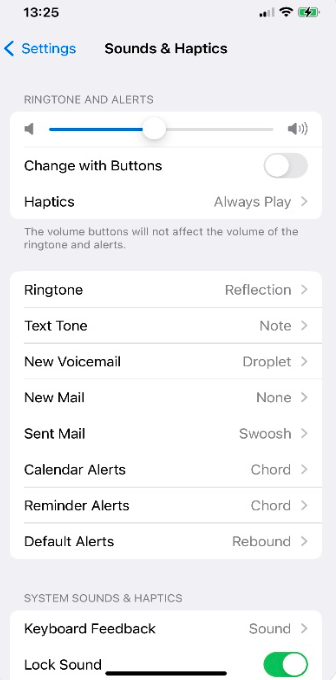
7. Media/Ringtone Volume/System Volume
Steps:
- Open the Settings app.
- Tap on Sounds & Haptics.
- Under Ringer and Alerts, drag the volume slider all the way to the left to set it to minimum.
- Adjust additional options: - Vibrate on Silent: Enable or disable vibration when in silent mode. - System Haptics: Enable or disable touch feedback for system actions.