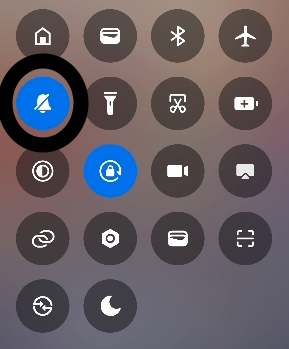
8. Mute Device
OFF(optional)
In Xiaomi devices, the bell icon in the Quick Settings panel controls the sound profile:
| Icon | Mode Name | Description |
|---|---|---|
| 🔔 Bell | Sound | All sounds (media, ringtone, notifications) are active. |
| 🔕 Bell-off | Silent | All sounds (including ringtone and system) are muted. |
To Mute Sounds via Quick Settings (Xiaomi)
- Swipe down from the top to open Quick Settings.
- Tap the 🔔 Bell icon to switch between modes: - 🔔 → 🔈 → 🔕