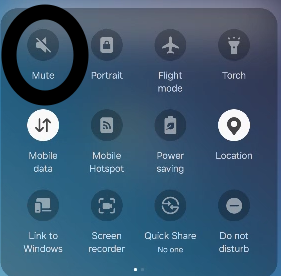
10. Mute Device
On Samsung devices, you can quickly mute all system sounds using the Quick Settings panel:
OFF(optional)
Steps:
- Swipe down from the top of the screen to open the Quick Settings panel.
- Look for the Sound mode icon: - 🔊 Sound = All sounds on - 🔈 Vibrate = Ringtone muted, vibration active - 🔇 Mute = All sounds off
- Tap the icon until it shows: 🔇 Mute