Overview
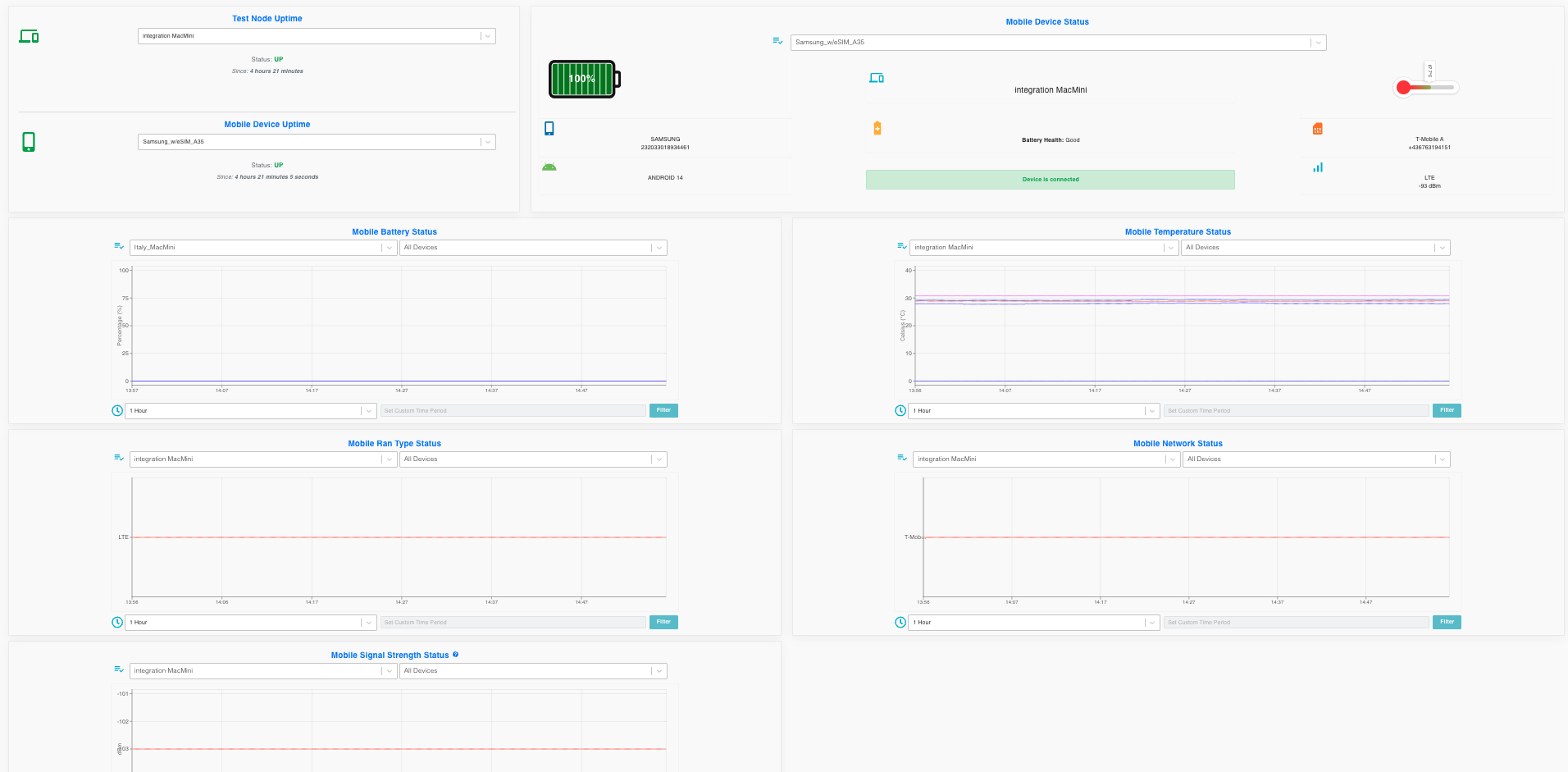
The status page displays the Test Node Uptime and Mobile Device Uptime cards. For each test node, if it is Up, the card shows how many hours it has been active, and if it is Down, it shows how many hours it has been down. Similarly, for each mobile device, the Mobile Device Uptime card indicates how long the device has been Up or Down.
The page also allows selecting a test node and displays the Mobile Battery Status , Mobile Temperature Status , Mobile Ran Type Status, , Mobile Network Status , Mobile Signal Strength Status connected to the selected test node, with filtering options for the last 1 hour, 6 hours, and 24 hours. A custom date range can also be entered. Additionally, a device can be selected for filtering, allowing for status details specific to the chosen device
Additionally, by selecting a Mobile Device, it shows detailed information about the device such as brand, operating system, the test node it is connected to, battery status, temperature, MSISDN, and IMSI.