Mobile ID
The Mobile ID's page lists every phone and MCM modem that TEO can use. Mobile ID’s comprises of the following:
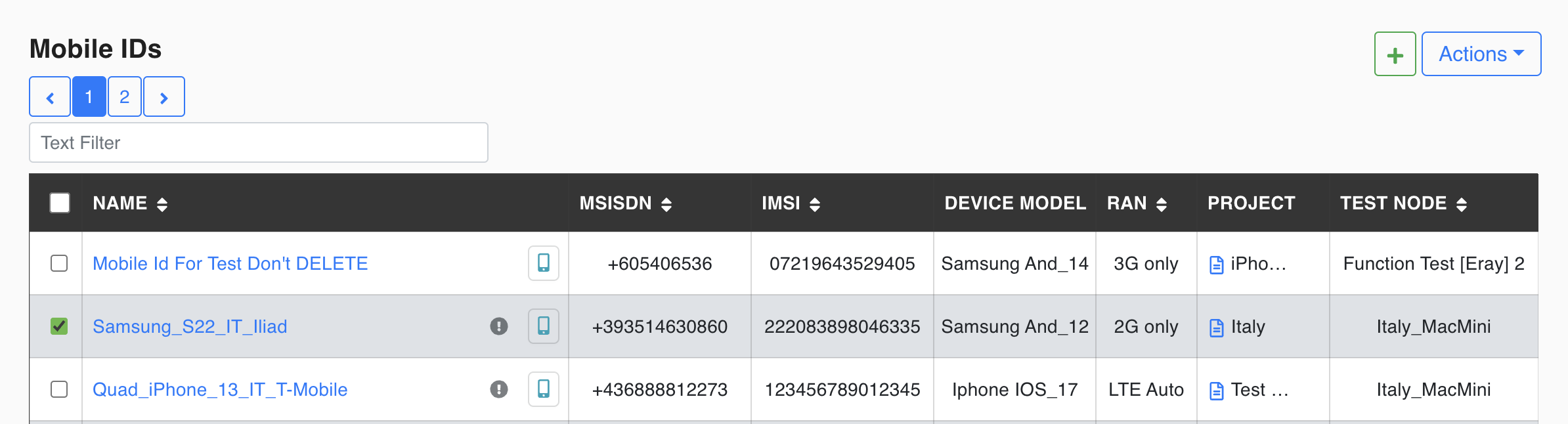
Mobile ID Information
The list shows these columns by default:
| Column | Value |
|---|---|
| Name | Friendly Name for Mobile ID |
| MSISDN | MSISDN in E164 format |
| Device Model | Device Vendor + OS Level |
| RAN Type | Default RAN type of the device (2G only, 3G only, 3G/2G Auto, LTE only, LTE Auto, 5G, VoLTE, VOWIFI) |
| Test Node | Assigned Test Node |
Click the Set Table Columns icon to choose more columns in Columns To Display: Device ID, OS, IMEI, Subscription, ICCID, EID, Network and Active IMSI. Set to Default restores the default columns; Save keeps your choice. The Test Cases and Test Suites lists have the same picker.
Type in Filter Text... to search, and click a column header to sort. The list refreshes itself about once a minute and follows the Projects filter. The fields of a Mobile ID are described on Edit a Mobile ID.
Row icons
- Status icon: Available, Busy, Unavailable or Error.
- Copy icon next to the name.
- Phone icon, "Remote Access to Mobile Device": opens the device in Remote Mobile Access (not for Guest users).
- ⓘ opens a summary with the MSISDN, default RAN, active IMSI(s), projects and the Test Cases that use the device.
The actions (Check Status, Assign Projects, Remote Access, Create Temporary Access Token, View Temporary Access Tokens, App Management, Reboot, Prepare, Delete) are in the ⋮ menu; see Actions.