Edit a Test Suite
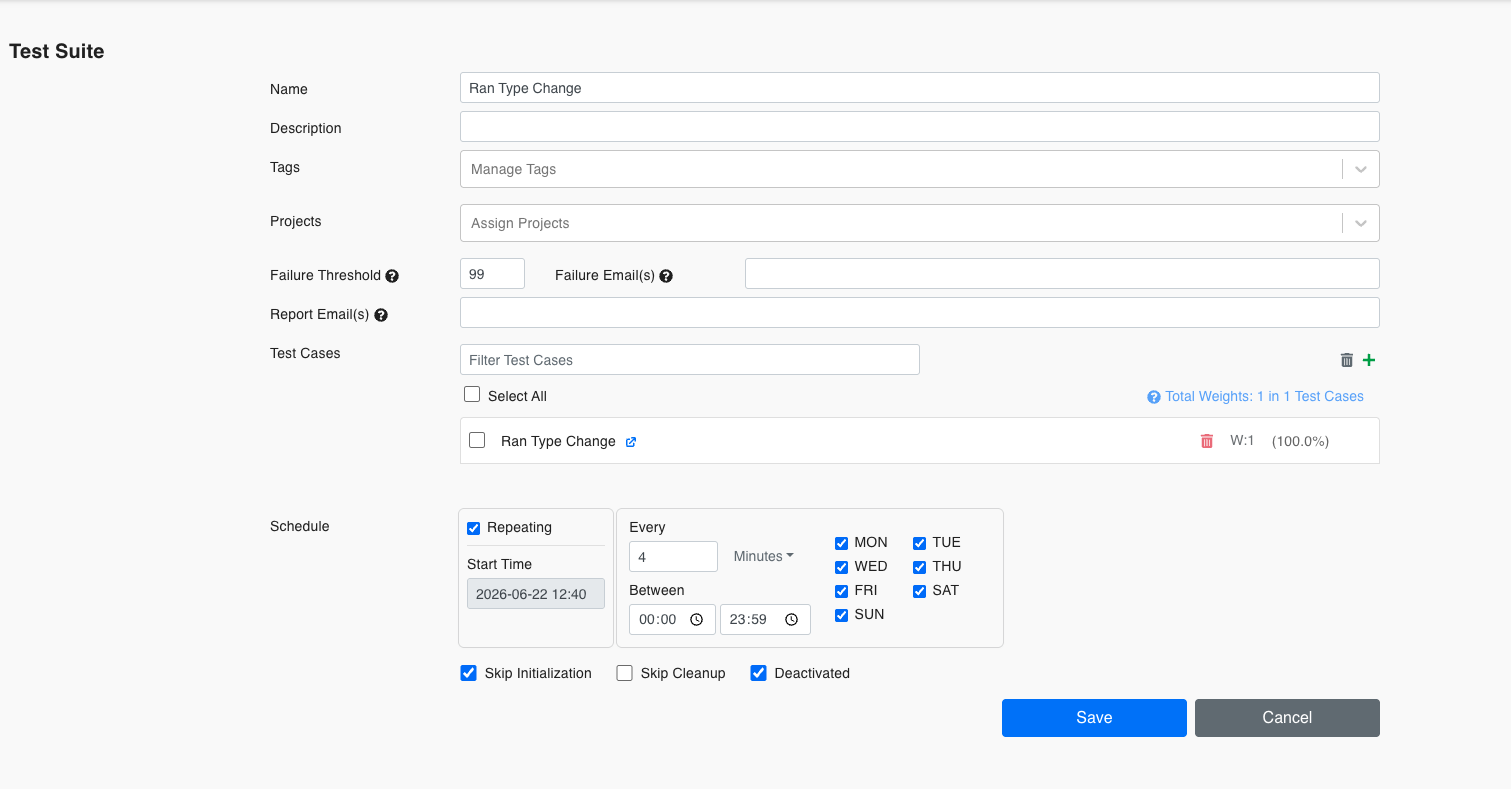
To edit an existing Test Suite, click on the name of the Test Suite. The Edit Window will open upon execution:
Parameters
| Name | Description |
|---|---|
| Name | The name of the Test Suite. |
| Description | A brief description of the Test Suite. |
| Tags | Tags to categorize the Test Suite. |
| Projects | Projects to assign to the Test Suite. |
| Failure Threshold | The threshold for the number of allowed failures before marking the Test Suite as failed. |
| Failure Email(s) | Email addresses to notify in case of failure. |
| Report Email(s) | Email addresses to send the report to. |
| Test Cases | The Test Cases assigned to this Test Suite. You can filter and select Test Cases using the Filter Test Cases input box. |
| Start time | The scheduled start time for the Test Suite execution. |
| Skip Initialization | A checkbox to skip the initialization process during execution. |
| Repeating | A checkbox to indicate if the Test Suite should be repeated. |
| Deactivated | A checkbox to deactivate the Test Suite. |
After filling out the form, you can save the Test Suite by clicking the Save button or cancel the operation by clicking the Cancel button.