Show Logs
Show logs is the main window where a user can check detailed results on the specific executed test case.
Click the button and the following window will open:
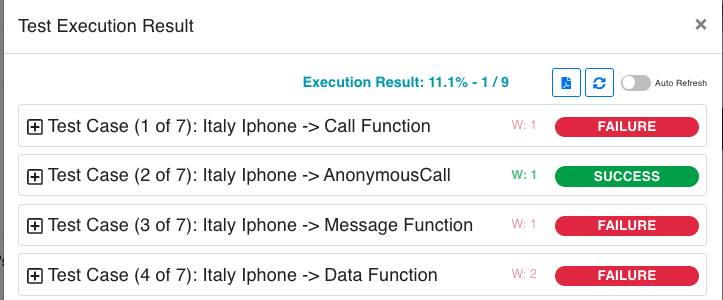
In order to check the specific logs for a test case, extend the description by pressing the button.
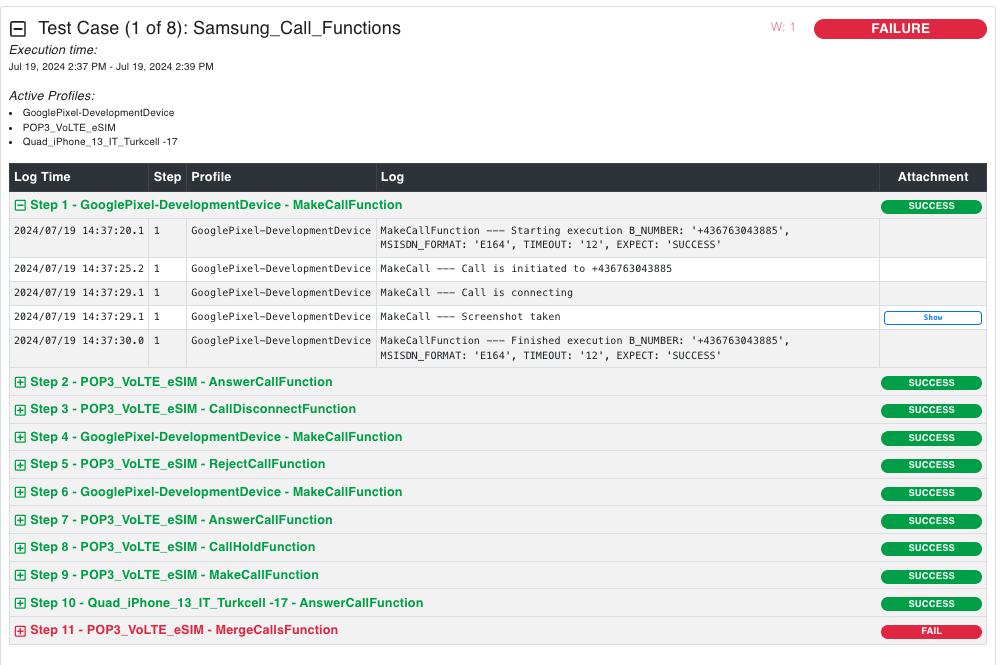
User will immediately get information like:
-
Test Case trace (if Trace Server is configured* and trace filters applied on Test Case)
-
Execution Time
-
Active Profile
-
Test Case Description
-
Detailed Logs
-
Count number of steps
-
Success/Fail status for each of the executed steps
-
Error indication – will be displayed with red color to quickly point out the reason of failure.
-
Screenshots (only for some test steps)
-