Create a new Test Node
Only Admin users can create Test Nodes. Click on and give it a representative name. The ID of the test node will be automatically generated when you save it.
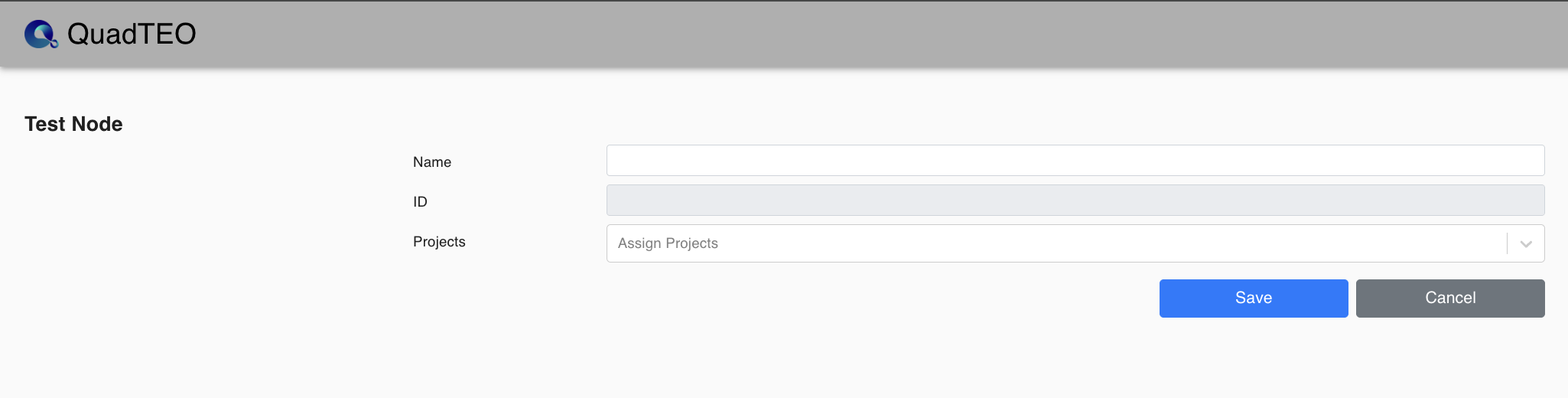
| Parameter | Value |
|---|---|
| Name | “name of the Test Node” that is going to be created. Required, 5 to 50 characters ("Please enter a name!" when it is missing). |
| ID | Automatically generated, it's a unique identifier towards the newly created Test Node. Read-only. |
| Projects | Users can select projects and assign the test node to them. |
Once all details are filled in, click the button. Then install the Agent on the machine with Agent Installer.