How to create API Configuration
In order to add a new External API Configuration, the following steps should be followed.
- Navigate to the External API’s tab from the QuadATF Dashboard menu.
- Click on the + sign on the top-right of the page (The following page will be opened).
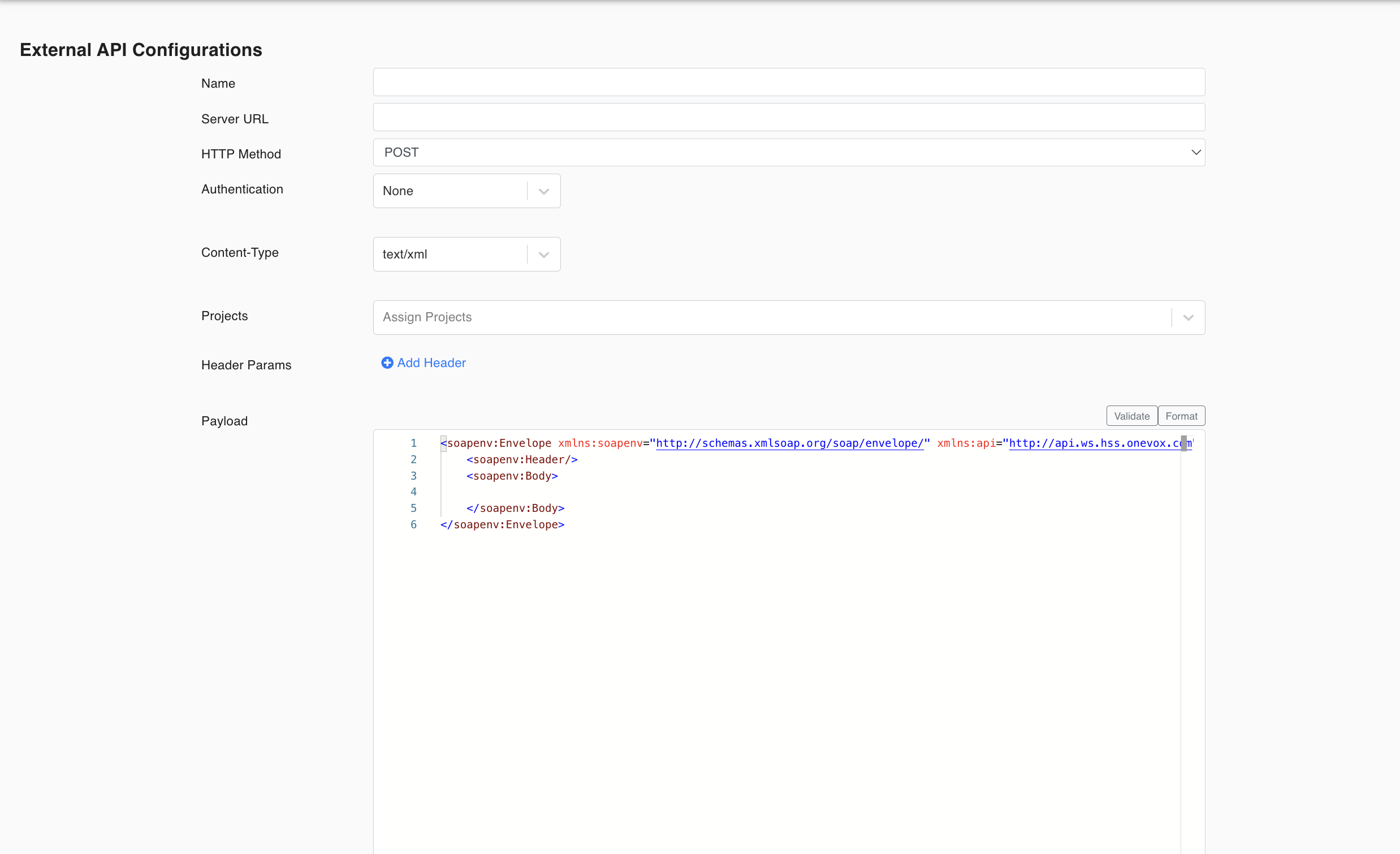
- Fill up all the fields according to the following explanations:
a. Name: The name of the API configuration.
b. Server URL: The URL of the endpoint that the API Request is to be sent to.
c. HTTP Method: The type of API Request to be sent.
d. Authentication: There are three types of supported authentication methods.
i. None: To be selected if there is no authentication required by the API Request.
ii. Basic: This authentication type requires a standard username and password authentication for the API Request. There are two options for entering the username and password.
-
If the
Credentials from Secretcheckbox is checked, the username and password will be retrieved from the AWS Secret Manager. In order to use this option, Quadified Team should configure the client username and password in AWS. Please contact support@quadified.com.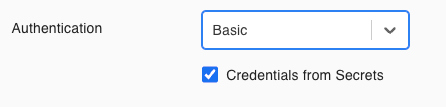
-
If the
Credentials from Secretcheckbox is NOT checked, the user should enter the username and password manually.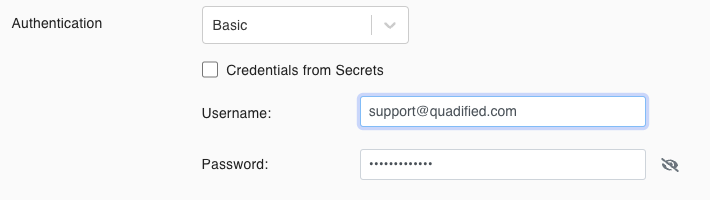
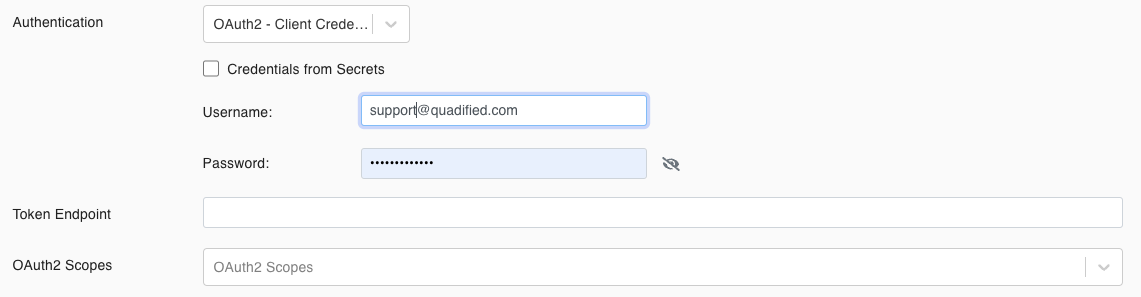
iii. OAuth2 - Client Credentials: This authentication type requires a temporary Access Token for the API Request. To generate a Token, the following fields are required;
-
Username and Password (Client ID and Client Secret): The same options with the
Basicauthentication type are also available here. Please check theBasicauthentication type above for further details. -
Token Endpoint: The URL of the endpoint to be used for the Token generation.
-
OAuth2 Scopes: This field might not be mandatory for some APIs. Using this field, the user can provide some scopes to limit the amount of access that is granted to an access token. For example, an access token issued to a client app may be granted READ and WRITE access to protected resources or just READ access.
e. Content-Type: This is a mandatory header param. The user should select either text/xml or application/json based on the data type that the API Request requires.
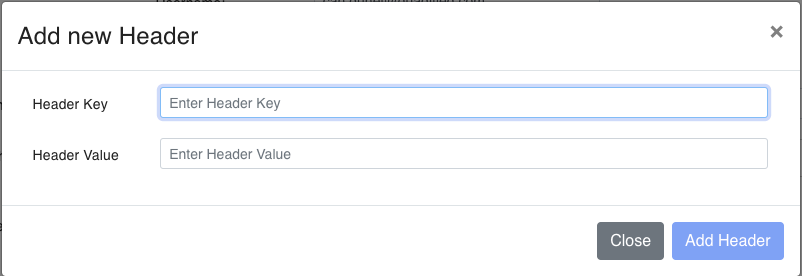
f. Header Params: Optional header params. The user can enter the optional headers by clicking the Add Header button and entering the Header Key and Header Value.
g.Payload: The data to be sent in the API Request. The format of the payload should be in compliance with the selected Content-Type.