Overview
Test Execution area is used to check the results/status of Test Suites
Running Tasks – check in real time the progress of your test execution or stop the execution.
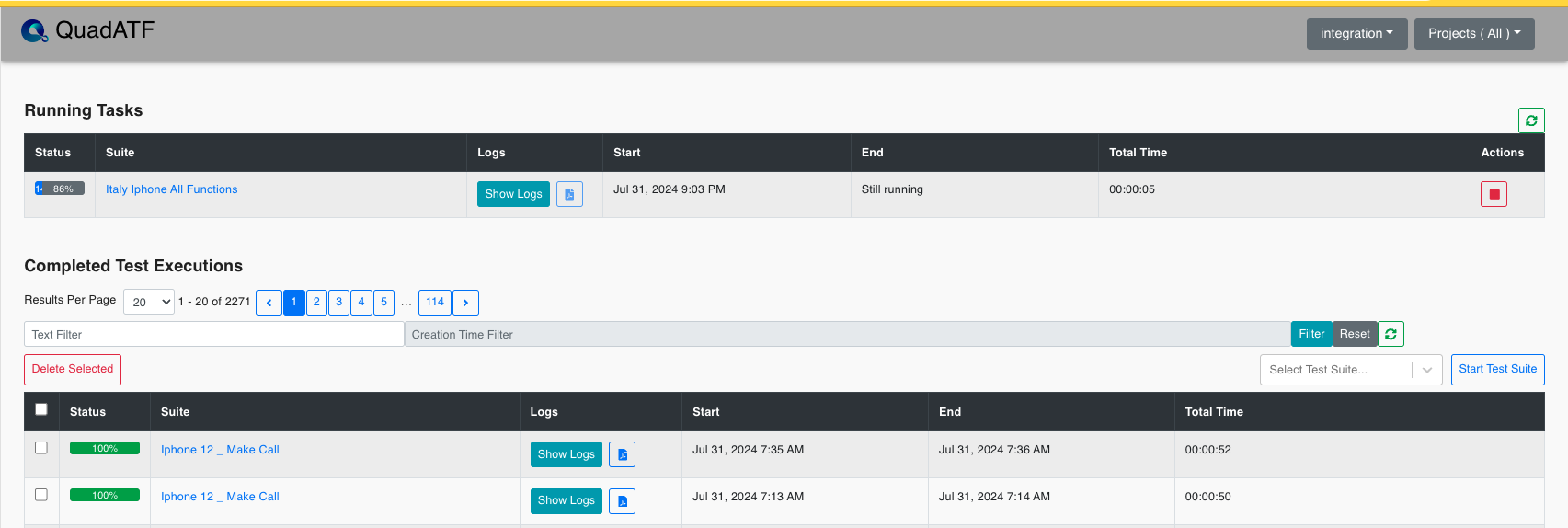
Table
| Table Header | Description | Comments |
|---|---|---|
| Status | See the status of your running test suite | Refresh the table to check real-time status |
| Suite | Name of the Test Suite | n/a |
| Logs | Check Logs/Download PDF report/Re-Run Failed Test Cases/Attachment indicator | If a trace file is attached to the report an icon is displayed to inform the user ![icon] |
| Start | Shows when the Test Suite started | Month/Date/Year – HH/MM |
| End | Shows when the Test Suite ended | Month/Date/Year – HH/MM |
| Total Time | Total time of execution | HH:MM:SS |