Remote Access
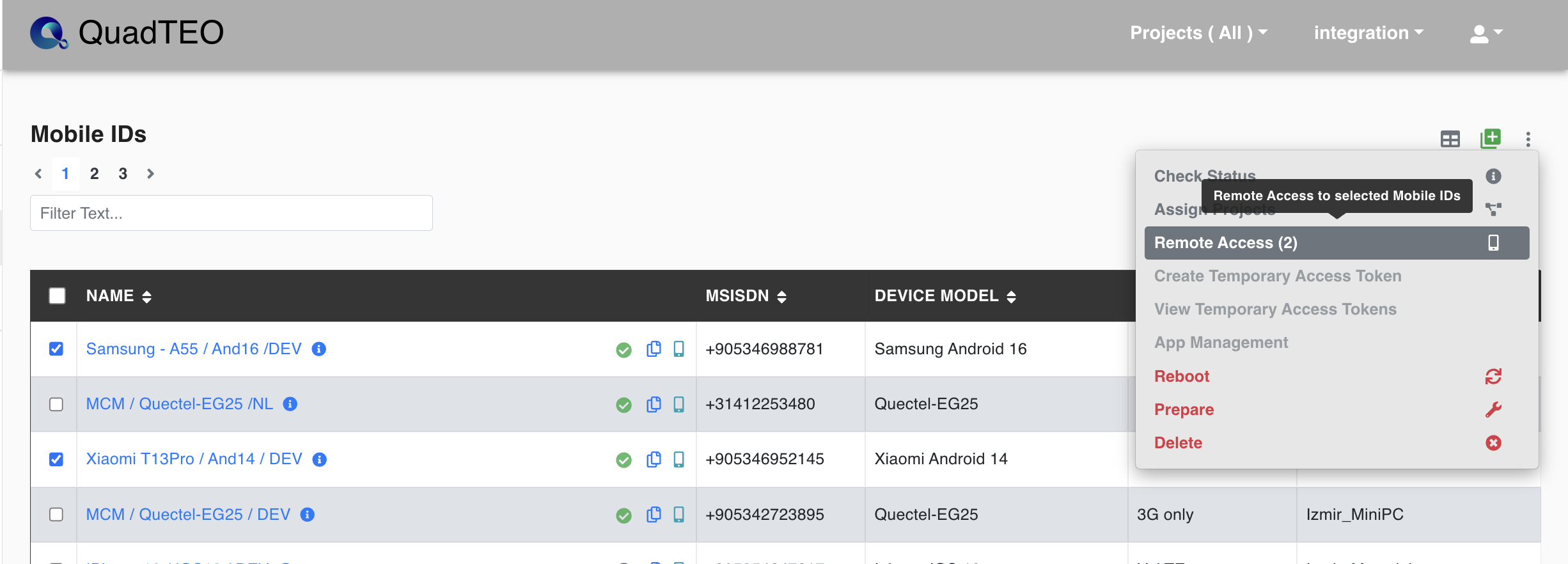
Remote Access in the Mobile IDs actions menu opens the selected devices in Remote Mobile Access.
Tick the checkbox of every device you want to work with, then open the actions menu and choose Remote Access. The menu item shows how many devices are selected — Remote Access (2) for two — and they all open together in one session, side by side.
Once the session is open you can drive each device's screen, read its live status, stream its logs, and send AT commands to MCM modems. See Remote Mobile Access for the full page, and MCM Remote Access for the modem console.