Project Assign
The purpose of "Project Assign" is to include a selected test suite into a project.
Assing to Project
To view the change history of a test suite, follow these steps:
- Select a Test Suite: Choose the test case for which you want to view the assign to project.
- Open the Action Dropdown: Click on the Action dropdown menu.
- Select "Assign Project": Choose the "Assign Project" option from the dropdown.
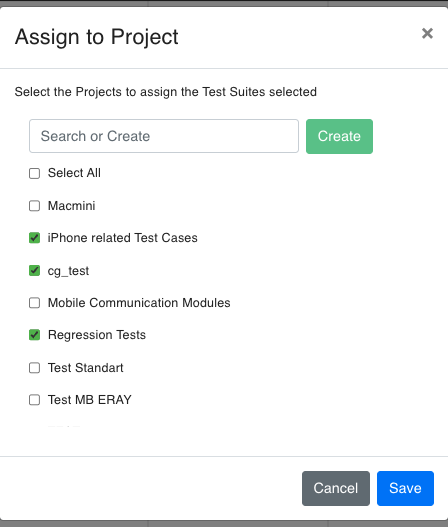
In the modal, there is a text box for the project name and a button next to it for creating a new project.
If you wish to assign the test node to an existing project, select the checkbox next to the desired project and click the button.
To remove the test node from an already assigned project, uncheck the corresponding checkbox and click the button.