logo
Quadified TEO Documentation
Status
Initializing search
    • Home
    • About Quadified TEO Platform
    • Quad TEO Components
    • TEO-Client PC Setup
    • Phone Settings
    • Working with Quad TEO solution
      • Overview
      • Dashboard
      • Test Nodes
      • Mobile ID's
      • Events
      • External Api
      • Trace Filter
      • Test Cases
        • Overview
        • Create a Test Suite
        • Schedule a Test Suite
        • Edit a Test Suite
        • Upcoming Runs Timeline
        • Schedule Conflict Detection
        • Actions Dropdowns
          • Text
          • Tag
          • Test Case Search
          • Status
      • Executions
      • Users
      • Settings
      • Sign Out
      • Troubleshooting
    • Grafana
    • API
    1. Home
    2. Using the TEO Web UI
    3. Test Suites
    4. Filter

    Status

    It filters the test suites based on their status, which can be either "running" or "scheduled."
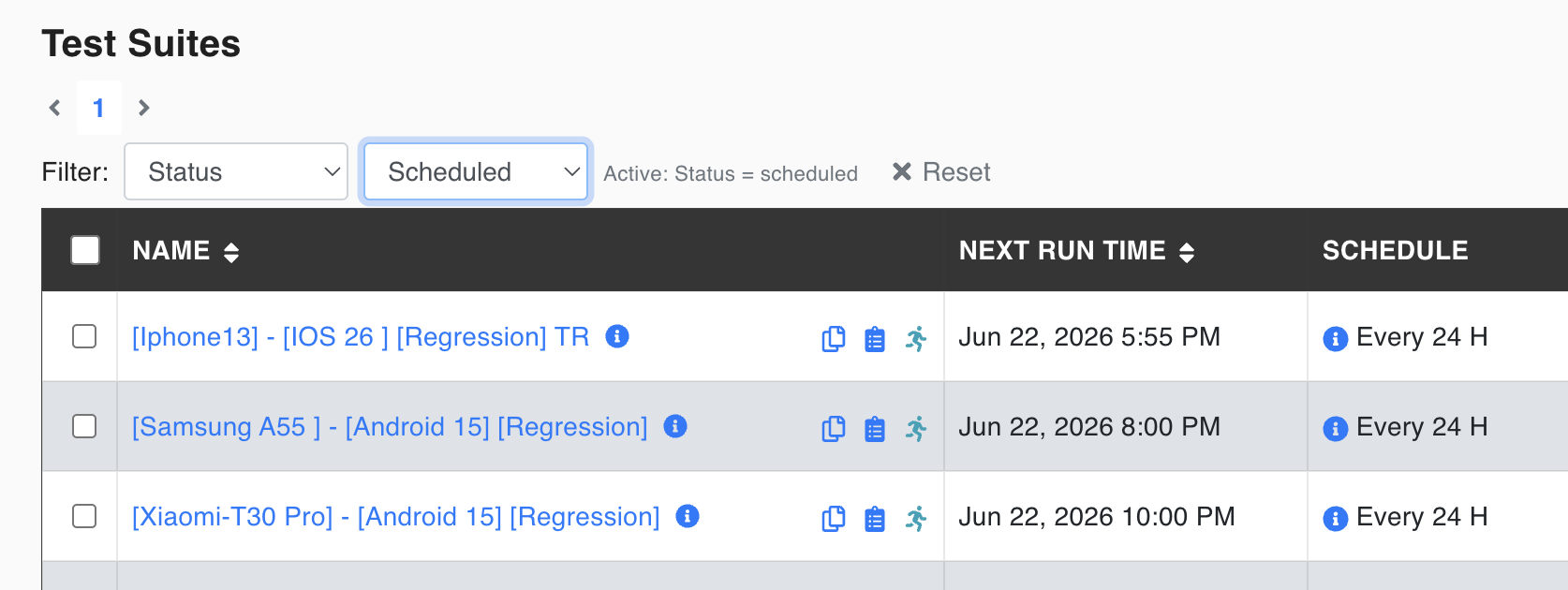
    Filter Test Suites by status

    Copyright © 2026 Quadified