Import Test Case
The Import Test Case feature allows you to import test cases from a JSON file. This is useful for restoring test cases from a backup, sharing them with others, or transferring them from one system to another.
How to Use the Import Feature
To import a test case, follow these steps:
- Select "Import" from Action Dropdown: Choose the test case where you want to import the details.
- Choose the JSON File: Click on the "Import" option from the Action dropdown menu and select the JSON file containing the test case details.
Import Wizard Steps
After selecting the JSON file, the Import Wizard will guide you through several steps to map and assign the imported test case correctly.
1. Test Cases
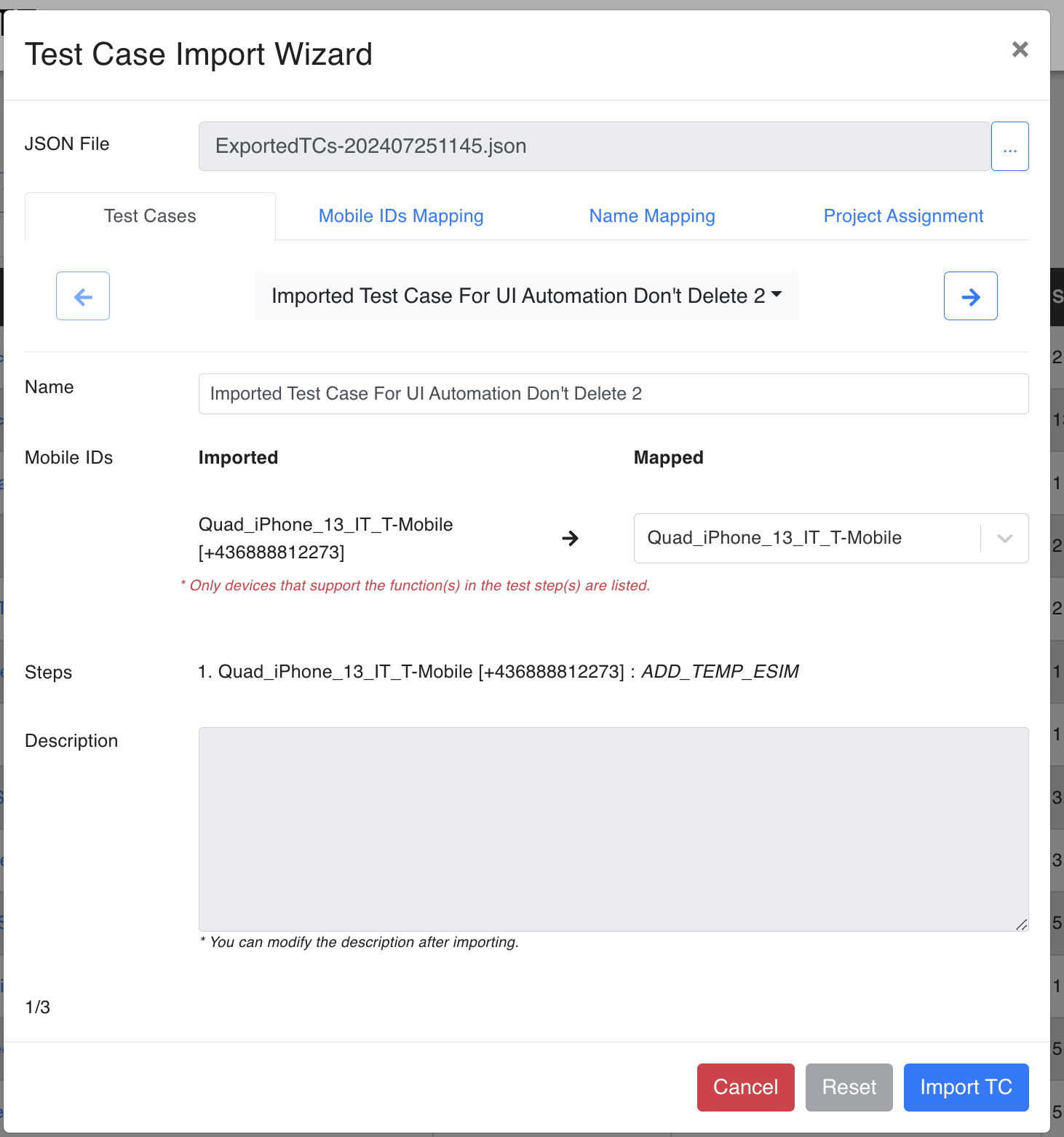
This initial screen shows the selected JSON file and the imported test case name. You can modify the test case name if needed.
2. Mobile IDs Mapping
Map the imported mobile IDs to the corresponding mobile IDs in your system. Only devices that support the functions in the test steps will be listed.

- Imported: The mobile IDs from the JSON file.
- Mapped: The corresponding mobile IDs in your system.
3. Name Mapping
Configure the name mapping for the imported test case. You can add a prefix, suffix, or replace the existing name.
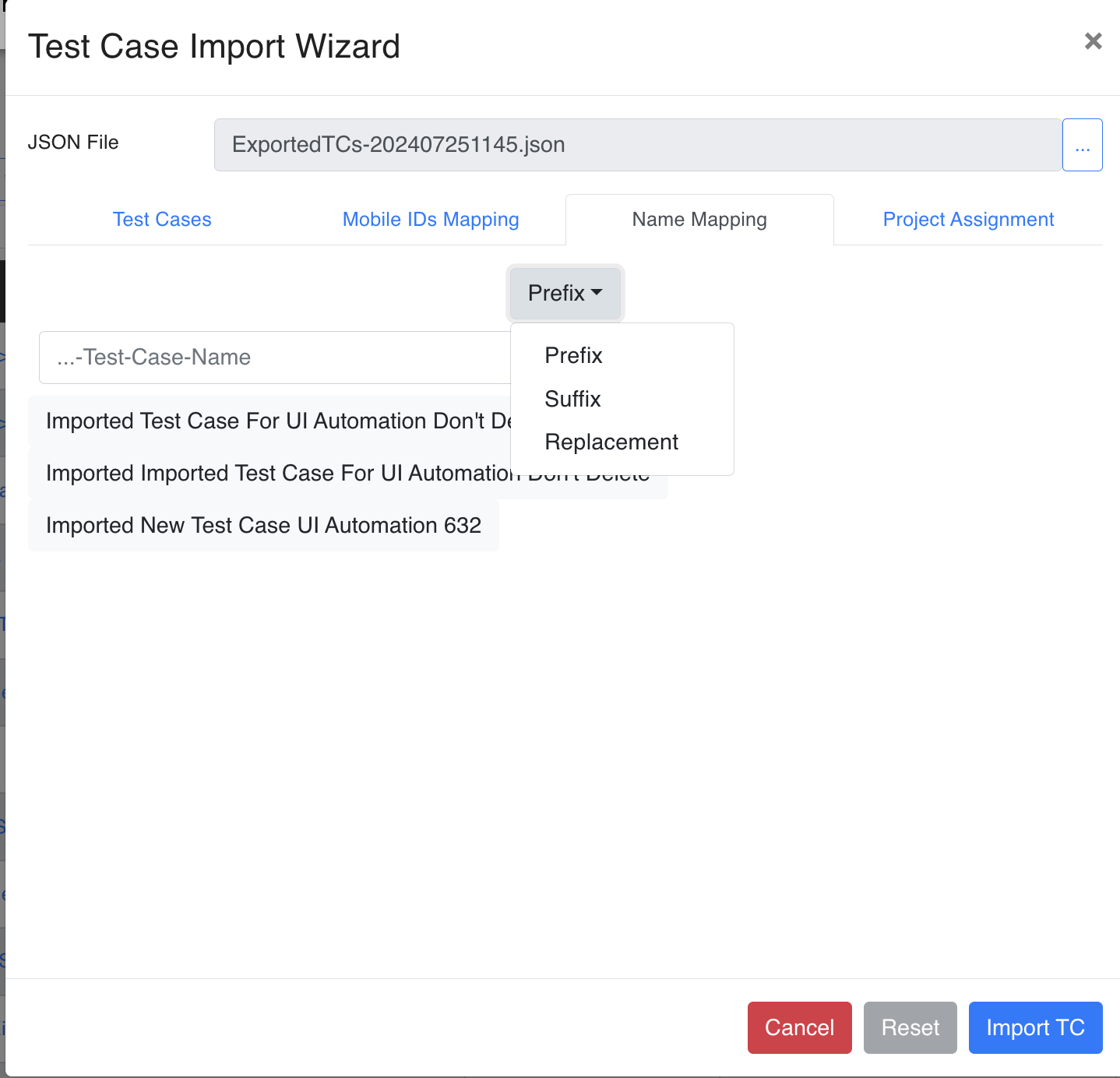
- Prefix: Add a prefix to the test case name.
- Suffix: Add a suffix to the test case name.
- Replacement: Replace the test case name entirely.
4. Project Assignment
Assign the imported test case to the relevant projects. You can select multiple projects to ensure the test case is correctly categorized.
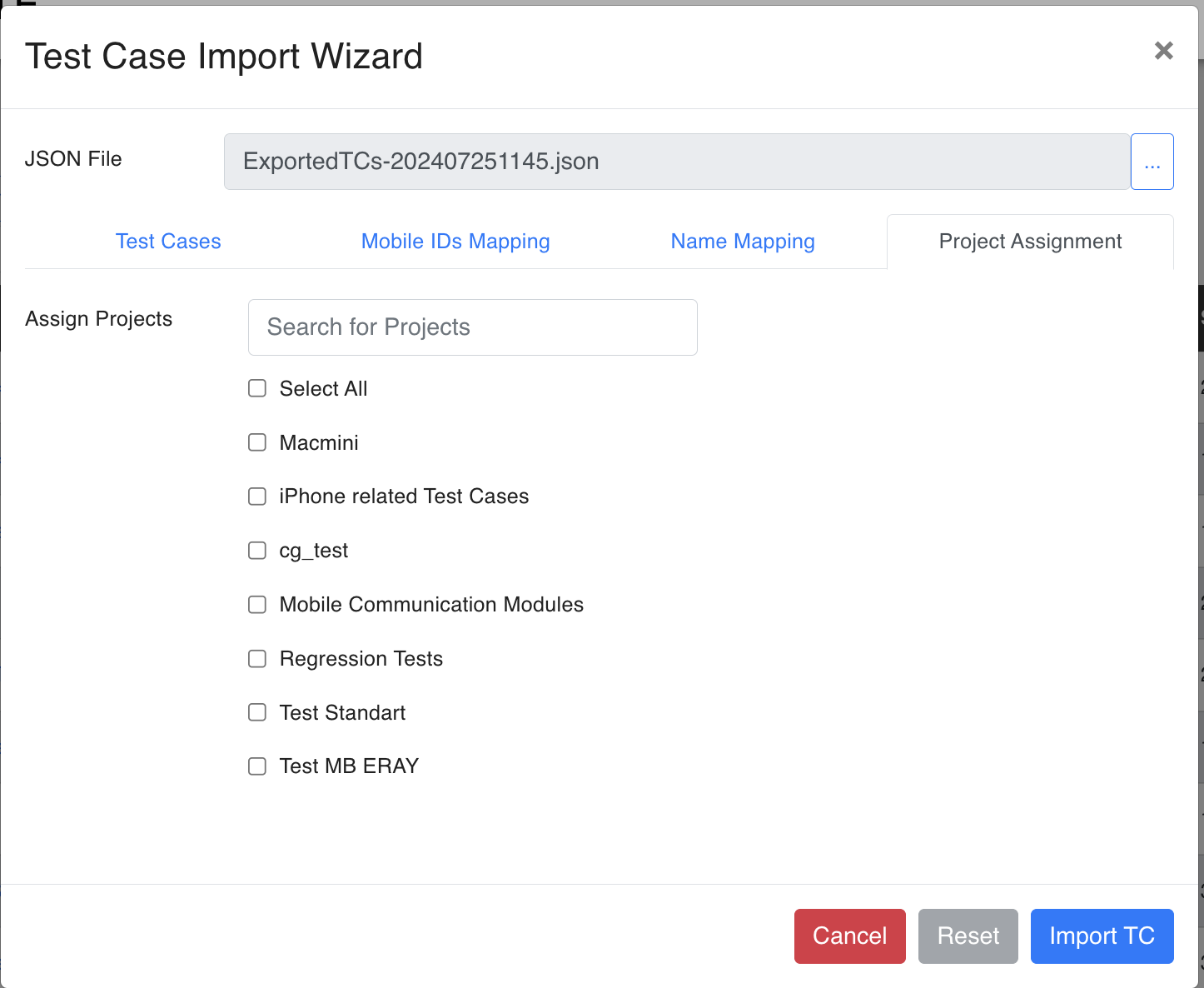
- Assign Projects: Search and select the projects to which the test case should be assigned.
Finalizing the Import
After completing all the steps in the Import Wizard, click on the "Import TC" button to finalize the import process. The test case will be added to your system with all the mapped details and assignments.
By following these steps, you can easily import test cases from a JSON file and ensure they are correctly mapped and assigned within your system.